
Crew view
The Crew view: today's work on your crew's phone
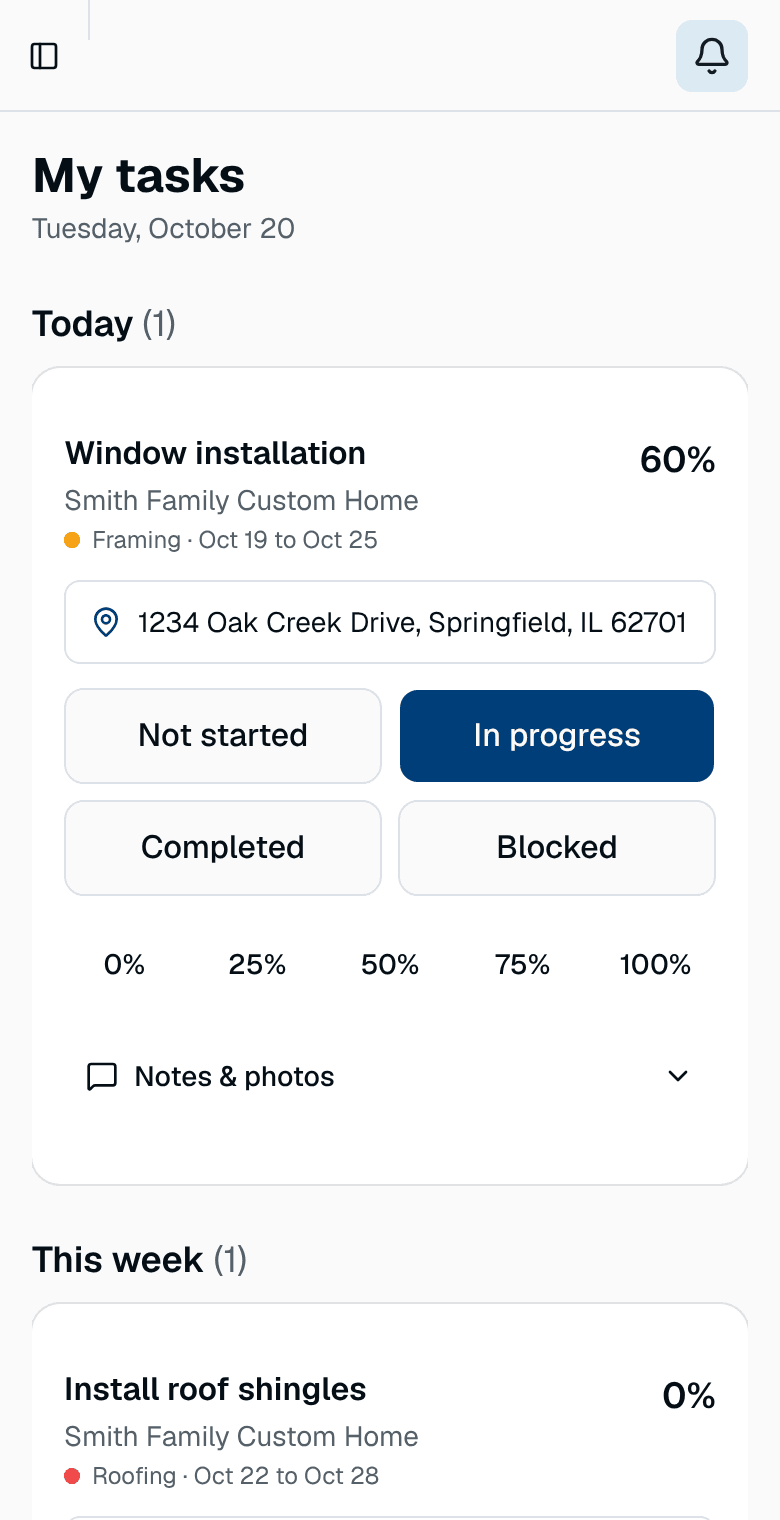
Your field workers don't need the whole schedule. The Crew view shows each person their own tasks across every job, today first, with big buttons to mark progress and a place for notes and photos. The office sees the updates on the schedule.
- Today, this week and later, across every job
- Big status buttons a gloved thumb can hit
- Notes and photos from the job site
- The job address one tap from directions
Free during the beta. No credit card.
One screen for the day
Each field worker signs in and sees only their own tasks, grouped into Today, This week and Later. Each task shows the job, the phase, the dates and the address.
- Not started, In progress, Completed or Blocked in one tap
- Progress in steps of 25 percent
- Nothing they don't need to see
Notes and photos the office can see
The crew adds notes and photos to a task from the job site. The office reads them in the task panel, so a blocked task comes with the reason and a picture.
The schedule stays true
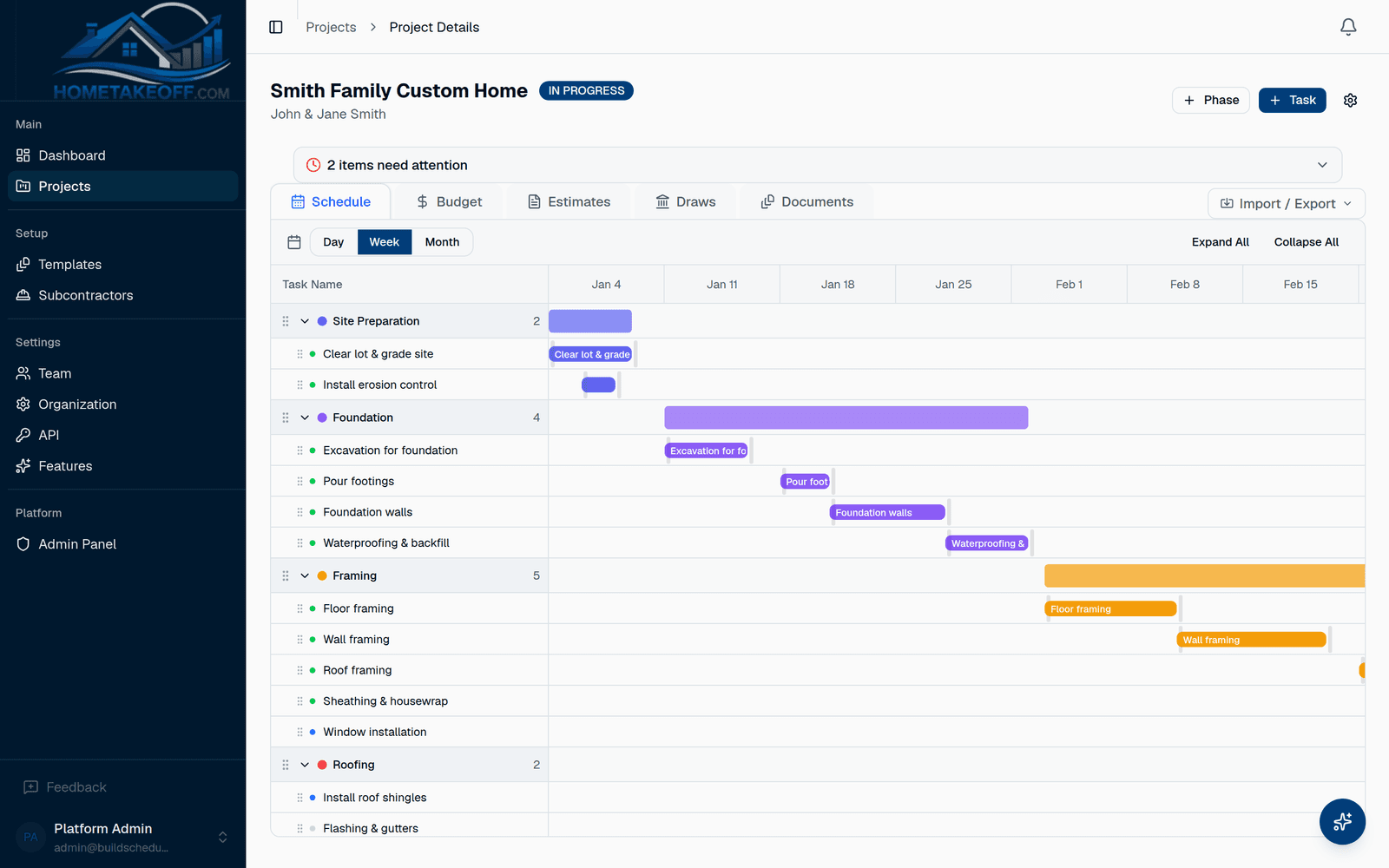
When a crew member marks a task done or blocked, the schedule and the dashboard show it. You see what's late without calling around.
Questions builders ask
Does my crew need an account?
Yes, each field worker gets a free sign-in with the field worker role, so they see only their own tasks. Subs who only send bids don't need one.
Does it work on any phone?
Yes. The Crew view runs in the phone's web browser, so there is nothing to install.
How much does it cost?
Nothing during the beta. Everything in the app is free for every account, including the AI Assistant, up to a generous allowance for each company. There is no credit card and no trial clock. Beta users will hear about any change well in advance.
Try it on your next job
Create a free account, look around the sample project, then schedule a real one.
Create a free account