
Construction scheduling software
built for residential builders
Plan every phase on a drag-and-drop Gantt chart, track budget against actuals, manage bank draws, collect subcontractor bids, and ask an AI assistant to do the busywork. No spreadsheets, no commercial-software bloat.
No credit card. No trial clock. Free for the whole beta.
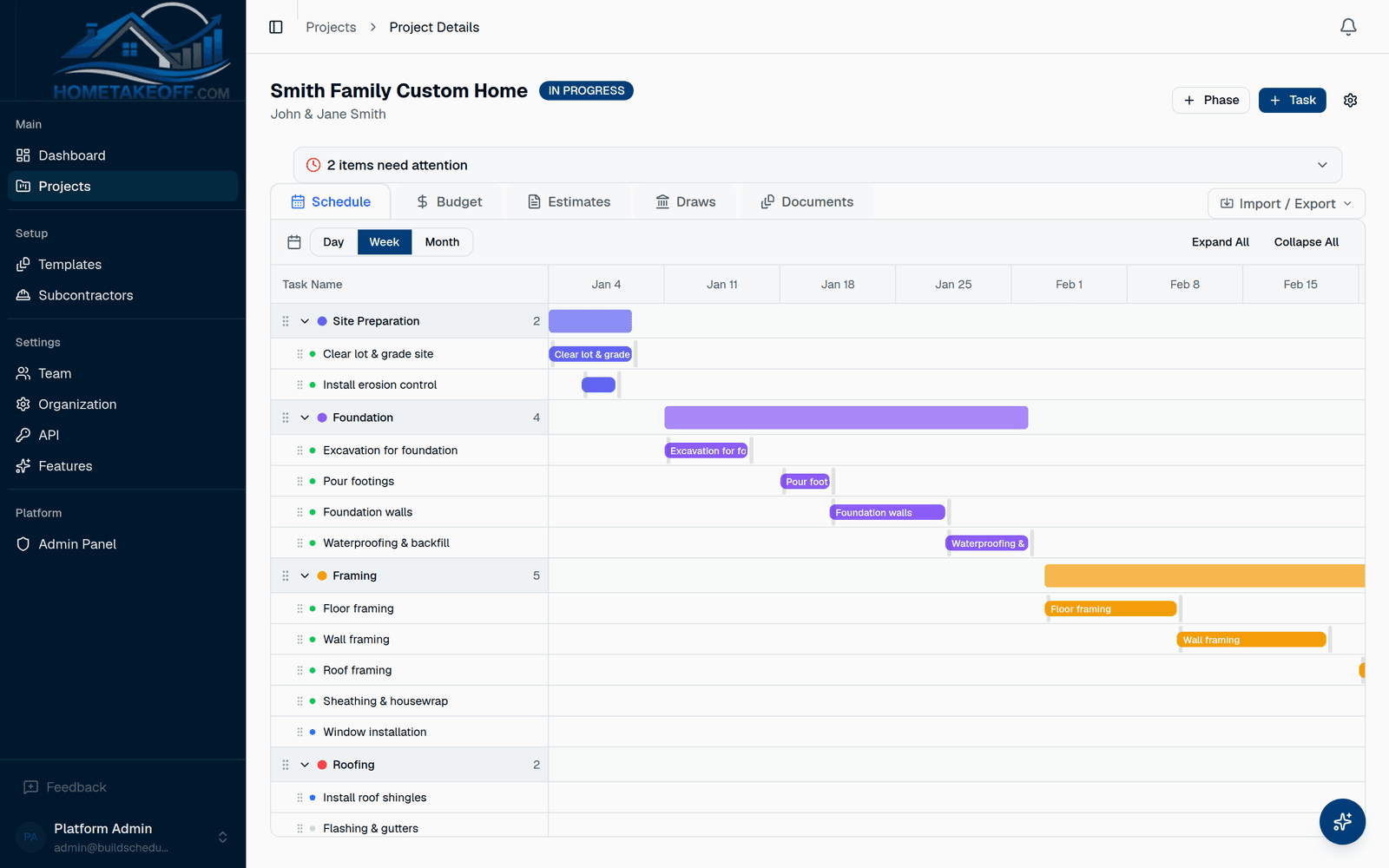
Everything a home builder needs to run a job
From first site visit to final walkthrough, one place for the schedule, the money and the people.
Drag-and-drop Gantt schedule
Phases and tasks on a timeline you can drag. Set dependencies once and downstream tasks shift automatically when something slips.
Budget and cost tracking
Estimated versus actual cost on every task, rolled up by phase. Import a budget from CSV and see variance the moment a number changes.
Draw schedules
Tie bank draws to phases, track line items and retainage, attach progress photos, and compile a draw request for the lender.
Subcontractor bids
Email a plan set to your subs. They review the PDF and submit a line-item bid through a private link, no login required.
Project templates
Start from a custom home, kitchen or bathroom template, or save your own. A full schedule in minutes instead of an afternoon.
Weather on the schedule
A 7-day forecast for the job site sits right on the Gantt so you can plan concrete pours and roofing around the rain.
Up and running in ten minutes
Every new account comes with a sample project so you can click around before you commit to anything.
- 1
Create a project from a template
Name the job, pick a template or start blank, adjust the phases, and you have a schedule with real durations and dependencies.
- 2
Add your budget and your subs
Type in estimates or import a CSV. Upload the plan set and send estimate requests to your subcontractors in one click.
- 3
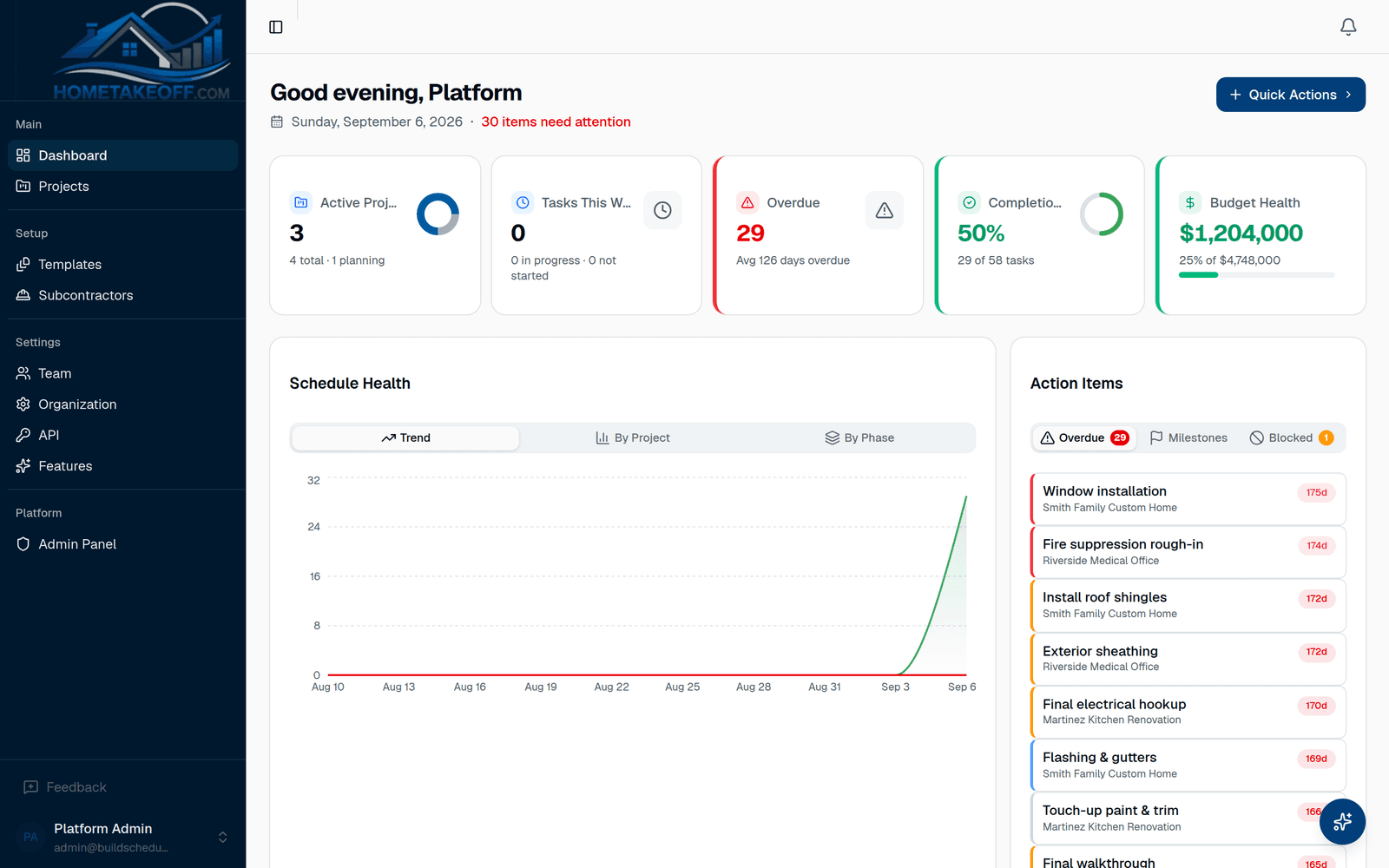
Run the job from the dashboard
Overdue tasks, budget variance, weather conflicts and open bids all surface on one screen. Drag to reschedule; the rest follows.
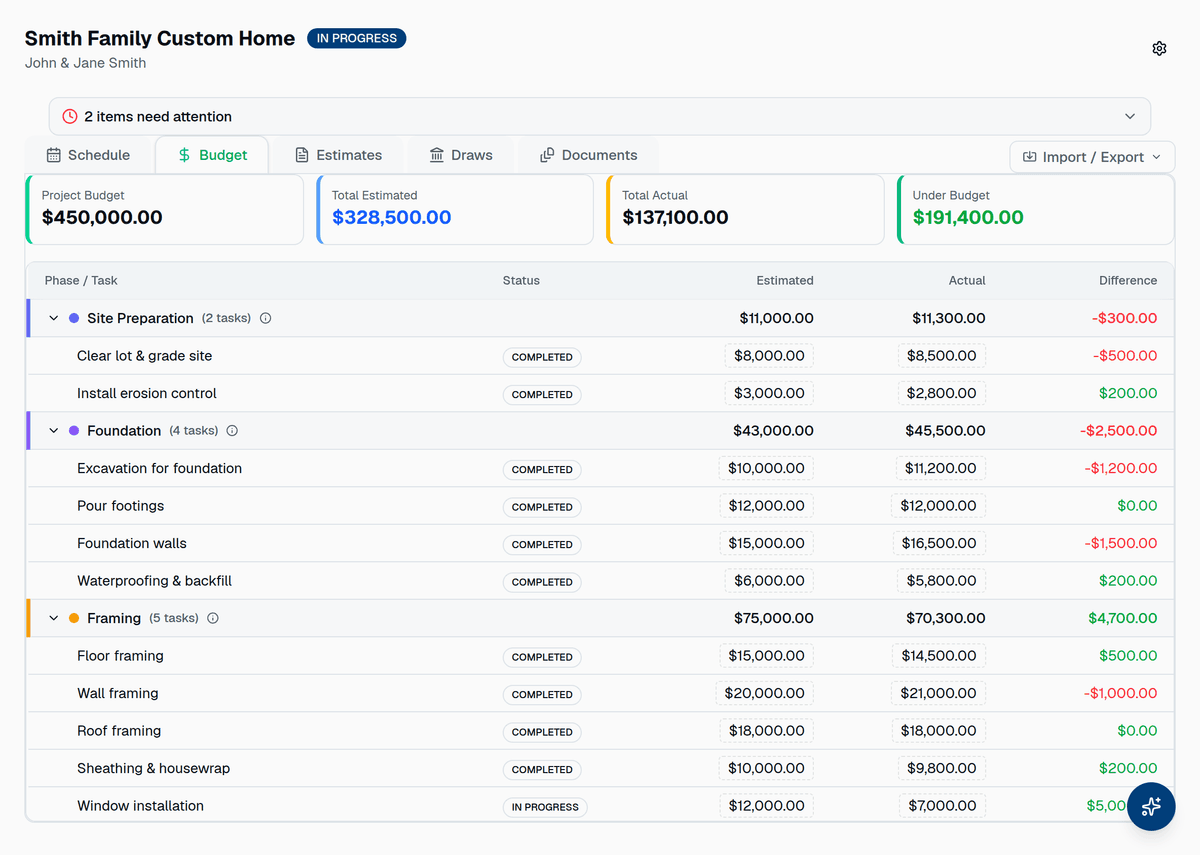
Know where the money is before the bank asks
Every task carries an estimate and an actual. Phases roll them up, the project rolls up the phases, and the difference is red or green at every level.
- Budget variance per task, phase and project
- CSV import for budgets and schedules
- Draw schedules with line items, retainage and photos
- Compile a draw request for your lender in one click
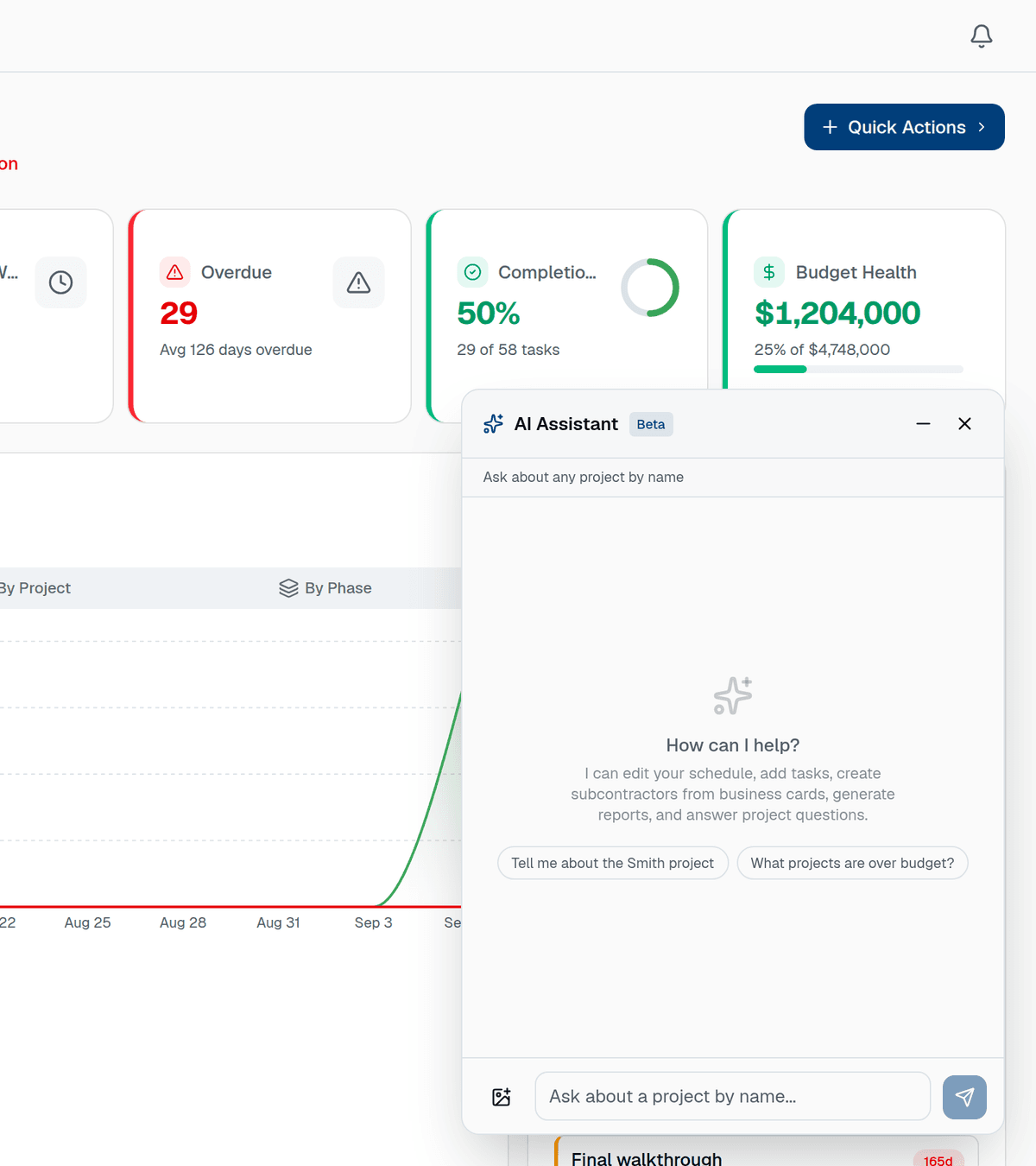
Talk to your project
The assistant reads your schedule, budget and tasks, answers with real numbers, and can make the change for you.
Ask questions, get numbers
“Am I on budget?” gets an answer with the actual figures. “Push framing out a week” moves the tasks and everything that depends on them.
Client-ready reports
“Write a budget summary for the homeowner” produces a formatted document you can print or save to the project.
Business card to contact
Photograph a sub's business card and the assistant adds them to your subcontractor list with name, company, trade, email and phone.
Nudges before problems
Overdue tasks, unassigned work, budget overruns and weather conflicts show up as nudges on the project without you asking.
Built for residential contractors
Existing tools are either built for commercial general contractors and need a consultant to set up, or they are a to-do list with a calendar. HomeTakeOff is the tool in between, for people who build homes.
- Custom home builders running 2 to 20 jobs a year
- Remodelers and design-build firms
- Small general contractors managing their own subs
- Multi-lot and spec home developers
- Insurance restoration contractors
What you get today
- Project templates
- 3 starters, unlimited of your own
- Projects
- Unlimited
- Team members
- Unlimited, with roles
- Subcontractor bids
- Unlimited, no sub login needed
- Documents
- PDF plan sets and reports
- AI assistant
- Included
- Price during beta
- $0
- Card required
- No
This is a work in progress, on purpose
HomeTakeOff is being built with the contractors who use it. It is free for the whole beta, and the roadmap is decided by what you tell us is slow, confusing or missing. In return, expect a product that changes often and occasionally breaks.
Free, no strings
No charges, no card on file, no trial countdown. We will tell you well before that changes.
Feedback goes to a person
The Feedback button in the app lands in the founder's inbox. Bugs, ideas and questions all count.
You shape the product
Features requested by beta users get built first. Ask for the thing your current tool cannot do.
Questions builders ask us
Is HomeTakeOff really free?
Yes. HomeTakeOff is in beta, and every feature, including the AI assistant, is free for every account while we build it. There is no credit card, no trial clock, and no paid tier yet. When that changes, existing beta users will hear about it first and well in advance.
What does "beta" mean for me?
The core features work and are used on real projects, but the product is still changing. You may run into rough edges, and screens will move around as we act on feedback. If you need a finished, unchanging tool today, we are not that yet. If you want a say in what a scheduling tool for residential builders should be, this is the time to join.
Who is HomeTakeOff for?
Residential contractors: custom home builders, remodelers, small general contractors and design-build firms running a handful of jobs at a time. It is built for the owner or project manager who currently lives in spreadsheets, a whiteboard, or a tool designed for commercial work.
How is this different from a spreadsheet or Buildertrend?
Compared with a spreadsheet, you get a real Gantt chart with dependencies that shift together, budget variance per phase, and draw tracking without formulas. Compared with large commercial platforms, there is nothing to configure and no per-seat pricing during beta. You can have a project scheduled in ten minutes from a template.
Can my subcontractors use it?
Yes. Send a plan set to a subcontractor by email and they submit a bid through a private link, no account needed. Subs and field workers who do need an account get a limited portal with only their tasks and estimates.
What happens to my data?
Your projects belong to you. You can export schedules and budgets as CSV at any time from the Import/Export menu, and you can archive or delete a project whenever you want.
How do I give feedback?
Use the Feedback button inside the app (it is in the sidebar and on the beta banner), or email [email protected]. Bug reports, feature ideas and "I couldn't figure out how to" notes are all equally welcome, and every one is read by the people building the product.
Try it on your next job
Create a free account, poke around the sample project, then schedule a real one. Tell us what you would change.